 WATCH Edition: Price as a feature

Over $10,000 for a watch that’ll last two years – the price is a feature.

The Apple Watch Edition is a statement piece; whether a whim of Jonny Ive 1 or a treat for China’s rich fashion elite 2. It’s a potentially lucrative experiment.

There are many ways to rationalise why people will buy it. Maybe it’ll be upgradeable, with the S1’s system on a chip 3 you could replace the S1 with an S2. Maybe the Watch won’t see annual updates nor need upgrading, beyond sensors and battery life the Watch is a mere dumb screen, what could need an upgrade so soon? Maybe one day it’ll be a collectable, worth well more than the original cost. Maybe it’s purely an experiment; the Apple Watch 2 won’t come in Edition, but a same-price gold effect like the iPhone, iPad and new MacBook.

Right now if you think $10,000 is too much, then you’re not the target market of the Apple Watch Edition.

I’ll be getting the much cheaper Sports Edition and see how it goes 4.

I am rich
I deserv it
I am good,
healthy &
successful

Notes:

  1. How else would Ive get to say metallurgist or jewellery artisans.
  2. The Apple Watch announcement had a strong focus on China – highlighting Apple’s desire to double their retail stores in the next 18 months.
  3. The S1, beyond a marketing piece, could be a drop in replacement – http://www.apple.com/watch/technology/#chip.
  4. I loved my first-gen iPad, but it quickly dated and got stuck with an OS now three versions behind, yet its successor, iPad 2, still runs the latest OS four years after it originally launched.

Internet / DNS Not Working On Yosemite Beta

In testing Yosemite beta, you may come across a DNS failure, so no webpages load in Safari and apps have no internet. This often happens after the Mac wakes from sleep.

After trying to flush the DNS cache it said the mDNSResponder service wasn’t running; so to get things back in action just start the mDNSResponder service again with this command:

 sudo launchctl load -w /System/Library/LaunchDaemons/com.apple.mDNSResponder.plist 

If you don’t fancy tapping away in Terminal, a restart will also get this running again.

Update 19/10/2014: As Foutchy pointed out in the comments, the final version of Yosemite released to the public no longer has the mDNSResponder instead you can use:

sudo launchctl unload -w /System/Library/LaunchDaemons/com.apple.discoveryd.plist
sudo launchctl load -w /System/Library/LaunchDaemons/com.apple.discoveryd.plist

Exploring the Possibilities of the Comic Medium, Without the Constraints of the Industry

Ocasta Studios will create the app and open source toolkit over the coming year. Collaboratively with the talented creative team of storytellers, artists and researchers we’re going to develop this transparently and openly so keep an eye on the Electricomics GitHub.

– Exploring the Possibilities of the Comic Medium, Without the Constraints of the Industry | Ocasta Studios.

Electricomics Kickoff Meeting

Electricomics has been in the planning for a while and we got the green light yesterday to start the actual creation! It’s funded by a research and development grant with one goal – explore the possibilities of the comic medium, without the constraints of the industry. Bringing the power back to the creators whilst finding new ways to entertain the readers.

All open source and transparent. Worth watching! Read more on my article on Ocasta Studios.

Integrate Olark Live Chat with WHMCS

Olark is a live chat widget that you drop into your site and allows you to chat with visitors through your existing IM app.

If you use WHMCS you can quickly integrate the code supplied by Olark by putting it in a smarty literal tag just before the </body> tag at the end of your footer.tpl file in your template directory:

{literal}
    //SUPPLIED CODE FROM OLARK
{/literal}

If you want the name of your logged in customers to show up in the chat you can to put the following after the last block of code you added:

{if $loggedin}
    {literal}
    
    {/literal}
{/if}

If you’re not already using live chat on your site, read more and sign up to Olark here.

iOS Enterprise App Error – “Cannot install applications because the certificate is not valid”

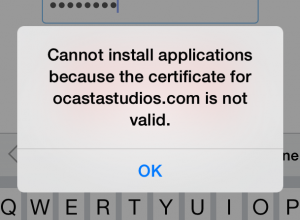
With the launch of iOS 7.1, Apple require all enterprise apps manifest files to be served over HTTPS. Attempts to install through HTTP cause the following message:

cannot install applications because the certificate is not valid

The actual page and app IPA don’t need to be served on SSL, it’s just the manifest file that links to it. Currently you’ll have something like this:

itms-services://?action=download-manifest&url=http://yourdomain.com/manifest.plist

But the manifest plist file needs to served over SSL:

itms-services://?action=download-manifest&url=https://yourdomain.com/manifest.plist

You can host the manifest plist file on Dropbox (which will serve it over SSL), but the easiest way is to add an SSL certificate onto your domain. More info over on this stackoverflow question.